In a world where silence is golden, audio software is the shiny treasure chest waiting to be discovered. Whether you’re a budding musician, a podcasting pro, or just someone who enjoys mixing beats in their basement, the right audio software can turn your sonic dreams into reality. It’s like having a magic wand that transforms your voice into a symphony or your garage band into the next big thing.
Overview of Audio Software
Audio software encompasses a variety of applications dedicated to recording, editing, mixing, and producing sound. Many users rely on these programs to improve the quality of their audio projects, enhancing both music and spoken content. High-quality audio editing software often includes features like multitrack recording, audio effects, and robust mixing capabilities.
Digital Audio Workstations (DAWs) serve as the backbone of many audio production environments. They integrate various audio tracks, MIDI instruments, and numerous plug-ins to streamline the creative process. Popular examples of DAWs include Ableton Live, Pro Tools, and Logic Pro, each catering to different user needs.
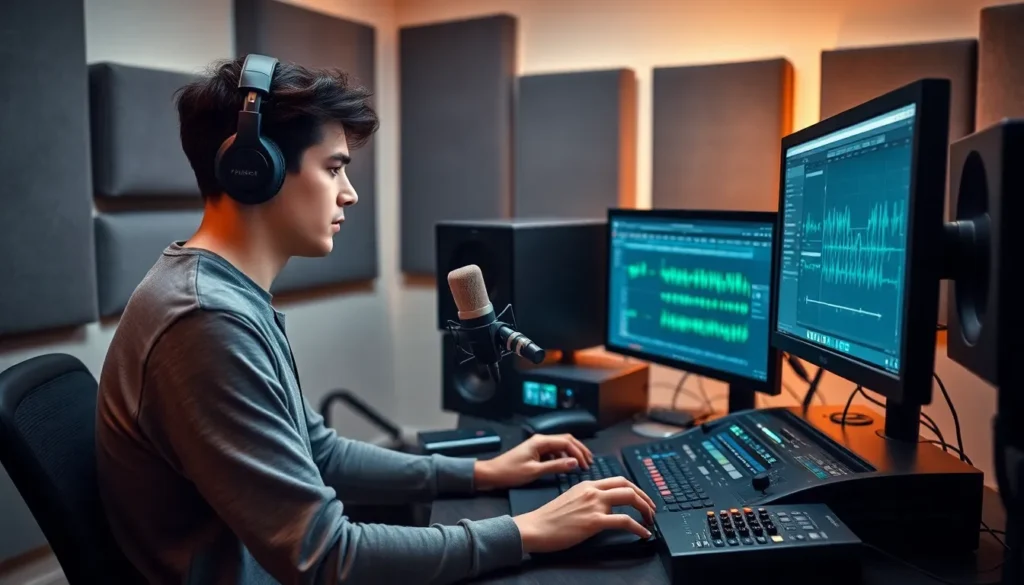
Audio editing software focuses primarily on refining recordings. Programs such as Audacity and Adobe Audition allow users to cut, trim, and manipulate sound waves with precision. These tools provide visual representations of audio, making it easier to identify areas for improvement.
Music production software often combines both recording and editing functions. They provide users with virtual instruments, loops, and samples, enabling musicians to craft comprehensive compositions. Example software like FL Studio or GarageBand emphasizes ease of use for both beginners and advanced producers.
In podcast production, audio software presents unique features tailored for voice clarity and sound quality. Features like noise reduction, equalization, and compression help ensure listeners enjoy a polished audio experience. Programs like Hindenburg Journalist and Anchor support podcasters throughout the entire process, from recording to publication.
Audio software continues to evolve, integrating new technologies like artificial intelligence and cloud-based collaboration. The development of these advanced tools signals a promising future for creatives seeking to push audio boundaries. By utilizing audio software effectively, individuals can transform their raw recordings into professional-grade projects.
Types of Audio Software

Various audio software types cater to different aspects of sound production and manipulation. Knowing these categories helps users select the right tools for their projects.
Digital Audio Workstations (DAWs)
DAWs function as central platforms for music and sound production. These comprehensive programs support multitrack recording, enabling users to layer different audio sources. Tools such as Ableton Live, Pro Tools, and Logic Pro exemplify popular DAWs, each offering unique features. Users can harness MIDI instruments and integrate audio effects seamlessly. Creativity flourishes within these environments, making them essential for artists and producers alike.
Audio Editing Software
Audio editing software specializes in refining sound recordings with precision. Programs like Audacity and Adobe Audition provide robust tools for manipulating audio waves. Users can execute tasks such as cutting, trimming, and applying effects effortlessly. Clarity and quality enhancement serve as focal points in these applications. Many artists rely on this software to polish their recordings before public release or final mixing.
Sound Design Software
Sound design software enables users to create and manipulate audio elements creatively. This category includes tools like Native Instruments’ Kontakt and Xfer Records’ Serum. Users can explore virtual instruments, synthesize sounds, and design unique audio effects. Flexibility in sound creation encourages innovation, appealing to composers and sound designers. Higher-quality sound design enhances overall project impact, further solidifying its importance in audio production.
Features to Look for in Audio Software
Selecting the right audio software hinges on several essential features that enhance the user experience and overall output quality.
User Interface and Usability
A clean user interface improves workflow efficiency. Intuitive layouts allow users to navigate tools easily. Customizable workspaces cater to individual preferences, providing flexibility. Comprehensive tutorials and support resources aid beginners seeking to learn software functionalities. Responsive performance ensures smooth operation during complex projects. Ultimately, users favor software that minimizes distractions and enhances creativity.
Compatibility and Integration
Compatibility with operating systems is crucial. Users often prioritize cross-platform functionality to work seamlessly across devices. Integration with external hardware, such as MIDI controllers and audio interfaces, enhances the production experience. Support for various file formats allows easier collaboration and sharing among users. Moreover, linking with cloud storage options enables accessibility from multiple locations. Such features streamline project management and enhance workflow efficiency.
Effects and Plugins
Robust effects and plugin options expand creative possibilities. A diverse library of audio effects caters to various genres and styles. Users appreciate the ability to add third-party plugins for increased versatility. Compatibility with industry-standard plugins helps ensure professional results. Specialized effects, such as equalizers and compressors, refine overall sound quality. Ultimately, an extensive selection of effects and plugins can significantly enhance audio projects.
Recommended Audio Software
A variety of audio software exists to cater to different needs and budgets in the audio production landscape.
Budget-Friendly Options
Audacity offers a powerful and free audio editing suite, suitable for users needing basic recording and editing features. GarageBand, available on macOS, provides a user-friendly interface with built-in loops and instruments, making it ideal for beginners. BandLab combines cloud storage with collaborative features, giving users the chance to work together on projects seamlessly. Cakewalk by BandLab presents a comprehensive digital audio workstation at no cost, equipped with professional features like multitrack recording and mixing. Click and download these programs to explore their capabilities without significant investment.
Professional-Grade Software
Pro Tools stands out as an industry standard, featuring advanced editing and mixing tools necessary for high-level productions. Logic Pro provides an extensive library of sounds and instruments, appealing to music producers seeking rich textures. Ableton Live excels in live performance settings, allowing musicians to manipulate tracks in real time effortlessly. Cubase integrates MIDI capabilities alongside audio production features, making it a versatile choice for composers. These professional options enable creators to produce music and audio with unmatched quality and precision.
Audio software plays a crucial role in the creative landscape. It empowers musicians podcasters and sound designers to elevate their projects with professional-quality results. By choosing the right tools tailored to specific needs individuals can unleash their creativity and refine their sound.
As technology advances audio software continues to evolve offering innovative features that enhance the production process. Whether it’s through intuitive interfaces or powerful effects the right software can make a significant difference. Embracing these tools not only improves audio quality but also transforms the way creators express themselves.
The future of audio software looks promising with emerging technologies paving the way for new possibilities. As individuals explore these advancements they’ll find endless opportunities to push the boundaries of their audio projects.